How to Unban Your GB WhatsApp Account (2026 Guide)
By GBWHATSAI.COM
GB WhatsApp is a modified version of WhatsApp that adds extra features like deeper privacy controls, custom themes, and expanded file sharing. Those extra features come with a trade-off: WhatsApp’s official servers actively detect modified clients, and accounts using them can get temporarily or permanently banned.
This guide explains why bans happen, what you can realistically do about them, and how to lower your risk going forward with an honest look at what actually works and what doesn’t.
Set expectations first: Bans on modified WhatsApp apps come from WhatsApp’s own servers detecting that you’re using an unofficial client not from a glitch you can simply “fix.” There’s no guaranteed trick to reverse a ban. The most reliable, fully supported path back to messaging is switching to the official WhatsApp app. The tips below can help in some cases, but treat them as realistic options, not guarantees.
Why Does GB WhatsApp Get Banned?
1. Using a Modified/Unofficial Client
WhatsApp’s terms of service explicitly prohibit using modified versions of the app. Their systems can detect signals that distinguish GB WhatsApp from the official client, and accounts flagged this way get banned — regardless of whether the person using it intended any harm.
2. Heavy Use of “Risky” Features
Certain GB WhatsApp features are more likely to trigger detection, especially ones tied to automated or bulk behavior — like mass message forwarding, auto-reply bots, or broadcasting to many contacts at once. WhatsApp’s spam-detection systems often flag this kind of activity even on official accounts, but it’s especially common to trip on a modified client.
3. Routing Data Through Unofficial Servers
Because GB WhatsApp isn’t built or maintained by Meta, some versions route messages or data through third-party infrastructure instead of WhatsApp’s official servers. This is part of why WhatsApp treats these clients as a security risk and bans them when detected.
4. Running Multiple Accounts Aggressively
Using GB WhatsApp’s dual or multi-account feature isn’t banned on its own, but combining it with other flagged behavior (mass messaging, frequent number switching, joining many groups quickly) increases the chance that one or more of those accounts gets flagged.
What You Can Actually Do About a Ban
1. Check If It’s a Temporary or Permanent Ban
WhatsApp typically shows a message indicating whether the ban is temporary (with a countdown, often hours to a few days) or permanent. There’s no way to manually check this except opening the app and reading the message it shows you.
2. Wait Out a Temporary Ban
If it’s a temporary ban, the most reliable action is simply waiting for the period to end. Repeatedly reinstalling the app or trying workarounds during this window can sometimes make things worse rather than better.
3. Back Up Your Chats Immediately
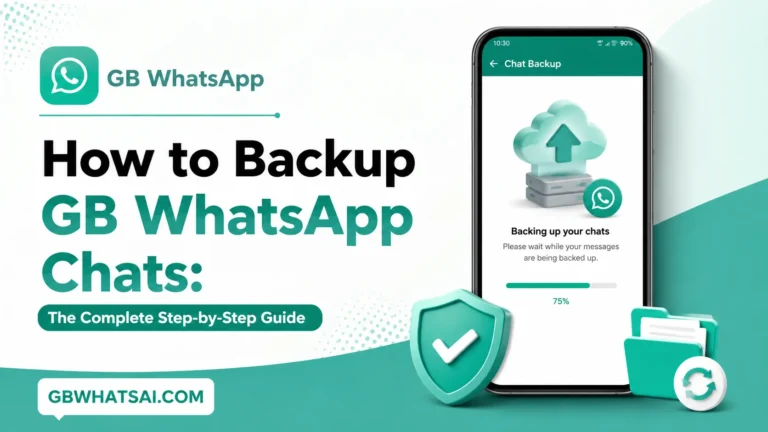
Before doing anything else, back up your messages and media if the app still allows it. This protects your conversation history regardless of what happens next, and matters even more if the ban turns out to be permanent.
4. Switch to Official WhatsApp
This is the most dependable long-term fix. Download the official WhatsApp app from the Google Play Store or Apple App Store, verify your number, and restore your backup if one is available. Official WhatsApp doesn’t carry the same ban risk, since it complies with WhatsApp’s own terms by definition.
5. Update to the Latest GB WhatsApp Version (If You Continue Using It)
If you choose to keep using GB WhatsApp despite the risk, staying on the latest version can reduce — but not eliminate the chance of detection, since developers sometimes patch known detection triggers. This isn’t a guaranteed fix and offers no protection against future bans.
6. Contact WhatsApp Support With Realistic Expectations
You can submit a request through WhatsApp’s official in-app support or help center. Be aware: since using a modified client violates WhatsApp’s terms, support is unlikely to lift a ban tied to GB WhatsApp specifically. They’re more likely to help if you’ve since switched to the official app and want to confirm your number isn’t restricted there.
7. Reduce Use of High-Risk Features Going Forward
If your account does get restored or you start fresh, avoid heavy use of auto-reply tools, mass-forwarding, and rapid status/privacy toggling, since these are the behaviors most associated with future bans.
Extra Tips to Avoid Future Bans
- Don’t forward the same message to large numbers of contacts or groups in a short time.
- Avoid joining or posting in groups that look spammy, suspicious, or unrelated to your real contacts.
- Don’t use third-party auto-message or bulk-sending tools alongside GB WhatsApp.
- Only download GB WhatsApp APKs from a source you trust sketchy or repackaged APKs increase both ban risk and malware risk.
- Use modified privacy features (hidden online status, disabled blue ticks) in moderation rather than maxing out every option at once.
- Back up your chats regularly to Google Drive or local storage, so a future ban doesn’t cost you your conversation history.
- Consider keeping one number on official WhatsApp as a stable backup, especially for important personal or business contacts.
Frequently Asked Questions
Why did my GB WhatsApp account get banned? Most bans happen because WhatsApp’s systems detected you’re using a modified, unofficial client, which goes against their terms of service. Using risky features heavily, running an outdated version, or triggering spam-detection patterns can increase the likelihood.
How can I avoid future bans on GB WhatsApp? Use the app moderately, avoid bulk-messaging or auto-reply tools, only download from trusted sources, keep the app updated, and back up your chats regularly. None of this guarantees a ban-free experience, since the underlying risk comes from using an unofficial client at all.
Will switching to a new phone number help unban my account? It can let you start a fresh account, but it doesn’t fix the underlying issue if you keep using a modified client the same way, a new number can eventually face the same restrictions.
Is a permanent ban truly final? In most cases, yes. Permanent bans are harder to reverse, and WhatsApp support is unlikely to lift one tied to use of a modified client. Switching that number to the official app, after some time has passed, is usually the more realistic path forward.
Does backing up my chats protect me from losing data during a ban? Yes — as long as you back up before the ban fully restricts app access. Once banned, you may not be able to create a new backup, so doing this proactively, even occasionally when you’re not banned, is a good habit.
Is there a quick trick to instantly unban an account? No reliable, guaranteed trick exists. Be skeptical of any site or video promising an “instant unban” these are commonly tied to scams, fake tools, or further account risk.
Final Thoughts
GB WhatsApp’s extra features are genuinely appealing, but they come bundled with real ban risk, since the app operates outside WhatsApp’s official terms. If you’re banned, the most realistic options are: wait out a temporary ban, back up your data, and consider moving to official WhatsApp for long-term stability. If you choose to keep using GB WhatsApp, moderating your use of risky features and downloading only from trusted sources are your best tools for reducing not eliminatin future bans.
Visit GBWHATSAI.COM for more GB WhatsApp guides, safety tips, and feature breakdowns.