GB WhatsApp: Trending Themes to Try in 2026
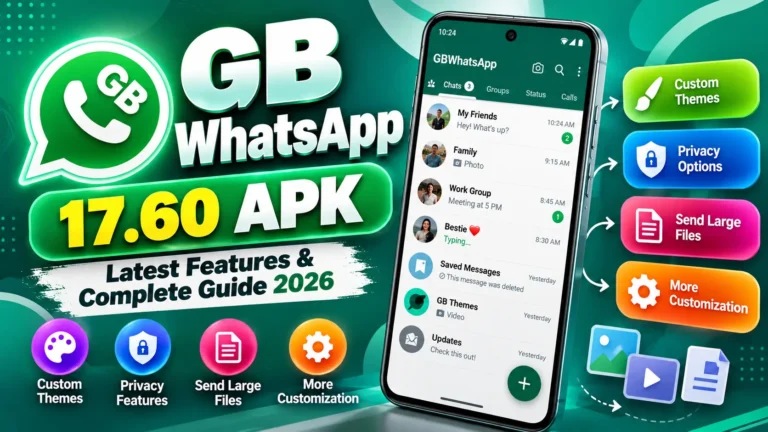
One of the biggest reasons people choose GB WhatsApp over the official app is theme customization. Instead of being stuck with one fixed look, you can completely redesign the interface colors, fonts, icons, chat bubbles, and more. In 2026, theme packs have gotten more polished and varied than ever. Here’s a simple breakdown of what themes actually do, the most popular ones this year, and how to install them.
What Are GB WhatsApp Themes?
A theme in GB WhatsApp isn’t just a new wallpaper it’s a full design pack that can change:
- Chat backgrounds and message bubble shapes/colors
- Fonts and text styling throughout the app
- App and menu icons
- The call screen layout
- Navigation style and overall spacing
Beyond looks, a well-designed theme can genuinely improve your everyday experience better contrast makes text easier to read, dark themes reduce eye strain in low light, and a cleaner layout can make the app feel faster and less cluttered.
Top GB WhatsApp Themes in 2026
1. Dark AMOLED Theme
Built for night-time use, this theme uses a true black background that’s easy on the eyes and saves battery on AMOLED screens, since true black pixels use less power on that display type. It’s a solid pick if you chat a lot in the evening or prefer a distraction-free look.
2. iPhone Style Theme
This theme reshapes GB WhatsApp’s icons, fonts, and layout to resemble iOS design clean lines, minimal clutter, and a premium feel. It’s popular with users who like Apple’s design language but are running GB WhatsApp on Android.
3. Neon Glow Theme
A bold, futuristic look featuring glowing blues, greens, and purples set against a dark background. It’s eye-catching and works well for anyone who wants their chat app to feel a bit more energetic and stand out from a typical messaging interface.
4. Transparent Theme
This one lets your phone’s actual wallpaper show through behind your chats, creating a glass-like, layered effect. It keeps the interface feeling light and modern, and pairs especially well with colorful or scenic wallpapers.
5. Material You Theme
Inspired by Android’s own Material You design system, this theme automatically adjusts its color palette based on your current phone wallpaper. That means the app’s look subtly changes every time you change your wallpaper, without you needing to manually pick a new theme.
6. Gold Black Theme
A premium-feeling combination of deep black backgrounds with gold accents on icons and fonts. It has a luxury aesthetic and works well for users who want something that feels a bit more elevated than the standard app look.
7. Pastel Dream Theme
Soft, calming tones pinks, light blues, and lavender make this theme popular with users who want a gentler, more relaxing visual experience while chatting, especially for long messaging sessions.
8. Minimal Pro Theme
Stripped of extra visual clutter, this theme keeps only the essentials visible. It tends to feel slightly snappier since there’s less visual decoration to render, and it’s a favorite among professionals who want a no-distraction interface for work-related chats.
How to Install a Theme in GB WhatsApp
- Open GB WhatsApp and go to GB Settings.
- In the settings menu, tap Themes.
- Tap Download Themes and browse the available options.
- Pick the theme you like, then tap Apply.
- Restart or refresh the app if the new theme doesn’t load automatically.
A Few Tips Before You Install
- Stick to themes available inside the app’s built-in Themes section rather than downloading separate theme files from random websites third-party theme files outside the official in-app store carry a higher risk of being modified with unwanted code.
- Preview before applying if the app allows it, so you don’t have to undo a theme that doesn’t suit your taste.
- Keep a backup of your chats before making bigger interface changes, just as a general precaution though theme changes themselves shouldn’t normally affect your chat data.
- Update GB WhatsApp regularly, since newer versions tend to add fresh themes and fix display bugs from older theme packs.
- Test on one account first if you’re using dual accounts, so you can compare which theme works better for each before settling on one.
Frequently Asked Questions
Do themes affect app performance? Most themes are lightweight, but heavily animated or “glow” style themes (like Neon Glow) can use slightly more resources on older or low-RAM phones. Minimalist themes generally perform best on lower-end devices.
Can I switch themes anytime without losing my chats? Yes, switching themes is purely cosmetic and shouldn’t affect your chat history or saved media.
Can I create my own custom theme? Many GB WhatsApp versions let you manually adjust colors, fonts, and chat bubble styles to build a personalized look, separate from the pre-made theme packs.
Does the Material You theme work on all phones? It works best on phones running a wallpaper-based dynamic color system similar to Android’s own Material You feature. Results can vary depending on your device and Android version.
Will a theme change my icon on the home screen too? Usually themes only change the in-app interface, not your home screen icon though some theme packs may include an optional icon pack as a separate feature.
Final Thoughts
Themes are one of the most fun, low-risk ways to make GB WhatsApp feel like your own. Whether you want a calming pastel look, a bold neon vibe, or a clean minimalist setup for work, 2026’s theme lineup has something for almost every style. Stick to the in-app theme store, keep the app updated, and you can refresh your chat experience anytime without much hassle.
Visit GBWHATSAI.COM for more GB WhatsApp guides, feature breakdowns, and theme roundups.